August 10th 2022
Gentler Streak watchOS app adds charts to their workout tracking
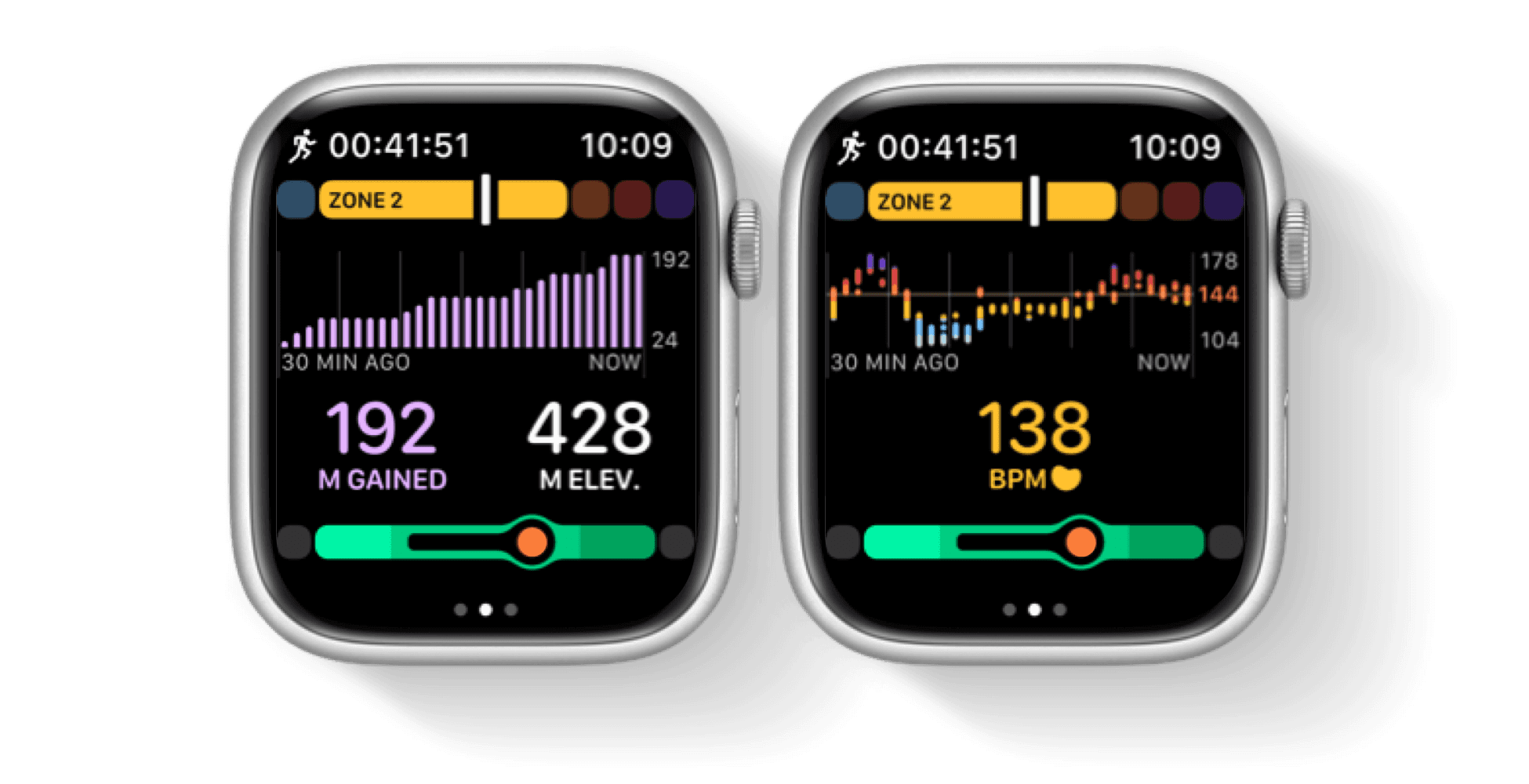
This exercise tracking app, which helps improve performance by proposing rest days, now shows charts during a workout. Since today's 2.5 version, you can see the current elevation, elevation gain, and heart rate charts.
Gentler Streak responds to your readiness and, based on that, offers daily workout suggestions (via the Go Gentlerfeature) that keep you within healthy activity levels. It also proposes rest days and active recovery days when needed, and makes them part of a streak. App's main goal is to help you steadily improve performance by having a healthy workout/rest balance.
Additional Workout Charts on Apple Watch
During a workout session, you can now observe metric charts. Turn the Digital Crown and change the original view to see:
Current Elevation Chart or Elevation Gain Chart (switch between the two on the same view, by tapping the metric you want to see)
Heart Rate Chart with a countdown to the:
Go Gentler goal or
Overreaching Status (tapping a current heart rate switches to the overreaching countdown) - overreaching trend can lead to fatigue, increases chances for injuries and overtraining.
Splits
In the workout summary, longer-distance splits are now presented more sensibly.
New Setting: Start Week On
Under the "Start Week On" in Gentler Streak Profile Settings, you can select the first day of the week to be Monday or Sunday, according to your preference.